InShot - Video Editor
App · Shantanu Pte. Ltd. · Photo & Video
Get InShot - Video Editor on the official store
We never host downloads — install from the official store.
Overview
InShot - Video Editor is a Photo & Video app from Shantanu Pte. Ltd..
It is listed on iOS.
On the App Store, InShot - Video Editor is free to install, is at version 1.97.0, sits in the Photo & Video category, carries a 4+ content rating, holds 4.9 from 2,442,768 ratings, and shows 10 screenshots.
Only the App Store rating is published for InShot - Video Editor, and it is shown on its own rather than combined with any other figure.
findmyapps.net shows each store's listing as published and links out to the official App Store page; the stores' ratings are shown separately and never combined, and no downloads are hosted here.
Prices, versions, and ratings reflect the most recent check of the official stores and can change at any time, so confirm the current details on the official App Store page before installing InShot - Video Editor.
About InShot - Video Editor
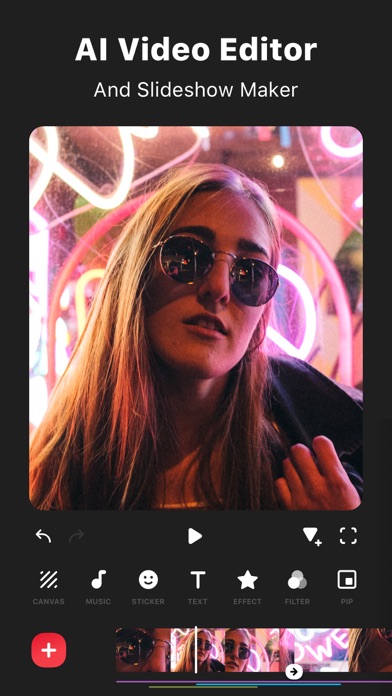
InShot: Empowering Creators with Advanced Video and Photo Editing. Unlock effortless editing with easy-to-use features and powerful AI tools, elevating your video photo experience to new heights.
[AI Tool]
- AI Effects. Experience the magic of AI with instant presets that elevate your images and videos in just one tap.
- Auto Captions. AI-powered speech-to-text tool helps you say goodbye to manual text typing and makes video editing effortless.
- Auto Remove Background. Remove background of videos/photos at the touch of a button.
- Smart tracking. Make stickers/text move seamlessly in sync with your tracking object motion, adding dynamic flair to your videos.
- Smooth slow-mo. Experience seamless slow-motion effects for buttery smooth videos.
- Auto Adjust. Instantly enhance your images and videos with one-tap.
- Smart collage. Make photo collages with AI Blend effects and Screenshot Stitch with effortless caption recognition.
[Video editing]
- Trim/Merge clips.
- Reverse videos.
- Add text, emoji and InShot exclusive stickers.
- Add music, sound effects & voice-overs.
- Add various-styles voice effects.
- Speed control. Speed up/slow down video. Add ramping.
- Keyframe editing. Add custome keyframe animations.
- Chromakey. Easily edit green screen video.
- Picture-in-Picture. Create multi-layered videos.
[Filters, Effects & Transitions]
- Lots of cinematic filters.
- Unique effects such as Glitch, Fade, Noise, Beats, Weather, Retro DV, celebrate, etc.
- AI effects. Clone, stroke, auto-blur, etc.
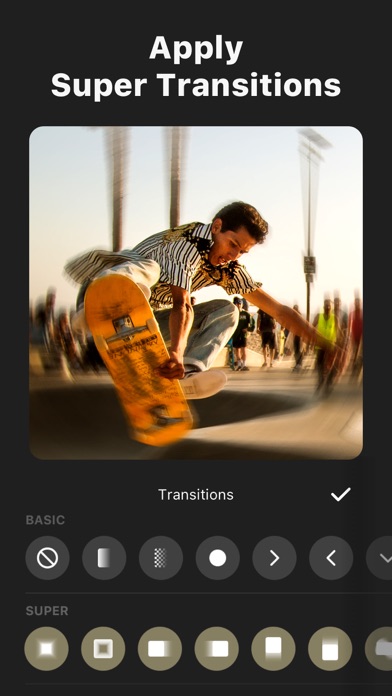
- Combine clips with super transitions.
[Photo Editing]
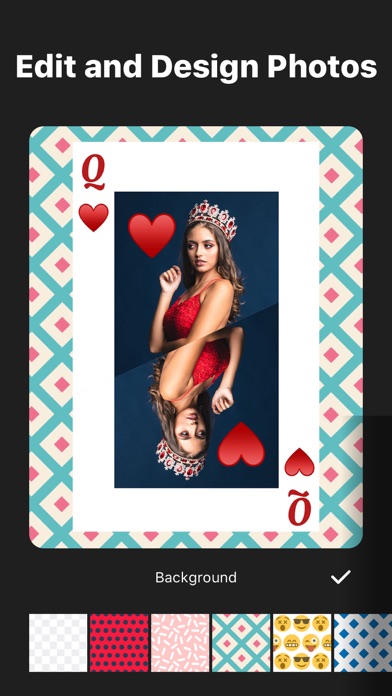
- Add text and stickers to photos, make fun story.
- Add filters and adjust brightness, contrast, curves, etc.
[Photo Collage]
- Easy-to-use photo grid collage maker.
- Create seamless collages with AI Blend.
- AI subtitle detection in Captions stitch mode.
- High-quality pic stitch in horizontal/vertical way.
[Share]
- High video output resolution. Now InShot support save in 4K, 60fps.
- Share to social apps, like YouTube, Twitter, Instagram, WhatsApp, etc.
[InShot Pro Unlimited Subscription]
- With an InShot Pro Unlimited subscription, you have access to all features and paid editing materials including stickers, filter packages, etc. Watermark and advertisements will be removed automatically.
- InShot Pro Unlimited subscription is billed monthly or annually at the rate corresponding to the selected plan.
- Payment will be charged to iTunes Account at confirmation of purchase.
- Subscription automatically renews unless auto-renew is turned off at least 24-hours before the end of the current period.
- Account will be charged for renewal within 24-hours prior to the end of the current period, and identify cost of renewal.
- Subscriptions may be managed by the user and auto-renewal may be turned off by going to the user's Account Settings after purchase.
- Any unused portion of a free trial period, if offered, will be forfeited when the user purchases a subscription to that publication, where applicable.
[Terms of Use]
https://inshot.cc/terms/terms.html
[Privacy Policy]
https://inshot.cc/terms/privacy.html
Feel free to contact us: inshot.ios@inshot.com, your feedback and suggestions are important to us! For more InShot news and tutorials, follow us on YouTube @InShot Video Editor.
[Disclaimer]:
InShot is not affiliated, associated, sponsored, endorsed by, or in any way officially connected with YouTube, Instagram, TikTok, Facebook, Twitter.
Acknowledgements:
Fugue Music
https://icons8.com/music/
Store details
App Store
- Price: Free
- Rating: 4.9 from 2,442,768 ratings
- Version: 1.97.0
- Category: Photo & Video
- Content rating: 4+
Screenshots



Frequently asked questions
- Is InShot - Video Editor free?
- InShot - Video Editor is free to install from the official App Store listing.
- What devices does InShot - Video Editor run on?
- InShot - Video Editor is available on iOS.
- Who made InShot - Video Editor?
- InShot - Video Editor is developed by Shantanu Pte. Ltd..
- How is InShot - Video Editor rated?
- On App Store it has 4.9 from 2,442,768 ratings. Each store's ratings are shown separately and are never combined.
- Where can I get InShot - Video Editor?
- InShot - Video Editor links to its official App Store and Google Play listings. findmyapps.net does not host downloads.
Related Photo & Video apps
- YouTube Studio — Google
- PicCollage: Magic Photo Editor — Cardinal Blue
- Snapseed: Photo Editor — Google
- Airbrush: Face Photo Editor — Pixocial Technology (Singapore) Pte. Ltd.
- Meitu AI Photo & Video Editor — Xiamen Meitu Technology Co., Ltd.
- Edits: Video Editor — Instagram, Inc.
- CapCut: Photo & Video Editor — Bytedance Pte. Ltd
- GoPro Quik — GoPro, Inc.
- Wink: Video Enhancer & Editor — Xiamen Meitu Technology Co., Ltd.
- Canon Print — Canon Inc.
- FreePrints – Print Photos — PlanetArt
- AI Video - AI Video Generator — Hubx